Read EPUB books
Adjust text size, spacing, themes, navigation, search, and reading progress.
 DeltaScroll
Import books, read offline, organise your library, use text-to-speech, and keep books and reading data on your device by default.
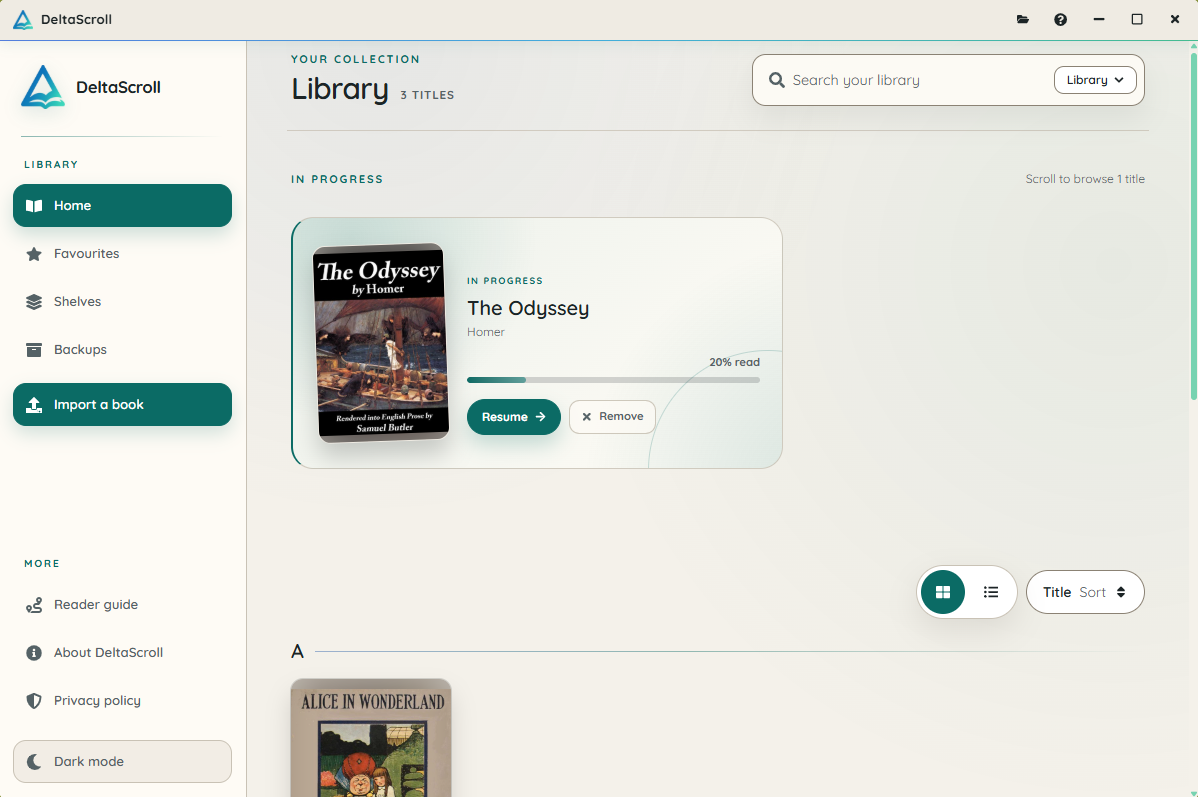
DeltaScroll helps you read and manage your own files without making an account the centre of the experience.
Adjust text size, spacing, themes, navigation, search, and reading progress.
Use shelves, favourites, bookmarks, notes, highlights, and library search.
Open EPUB files directly. Convert PDF and DOCX documents on your device.
Use built-in text-to-speech controls without leaving the reader.
Keep books, reading positions, shelves, favourites, highlights, bookmarks, and notes together.
Read without an account. Google Drive backup remains optional.
Import a file, open the library, read a chapter, and use the text-to-speech controls.
Opening a book does not require an account or a constant connection. Google Drive backup is available only when you choose to connect it.
Get the Windows x64 installer and open your library on your computer.
Donations support maintenance, device testing, accessibility work, and updates.
Support DeltaScrollDescribe the task you want to complete and the change that would help.
Request a featureAnswers about cost, accounts, file support, backups, and offline reading.
Yes. The Windows app is free to download and use. Donations are optional and support independent development.
No. You can import books, read offline, organise your library, and store reading progress on your device without creating an account.
DeltaScroll opens EPUB files. It can also convert PDF and DOCX files into EPUB books on your device.
Yes. Use the Backups page to create a portable backup file. Restore that file on another DeltaScroll installation.
Yes. After a book is stored in your library, you can read it and access its local reading data without an internet connection.